MoodLens does more than summarize a call. After a meeting, Moody can generate a full meeting summary PDF, personalized participant recaps, channel delivery, and email follow-up so decisions and next steps do not disappear.
Quick answer
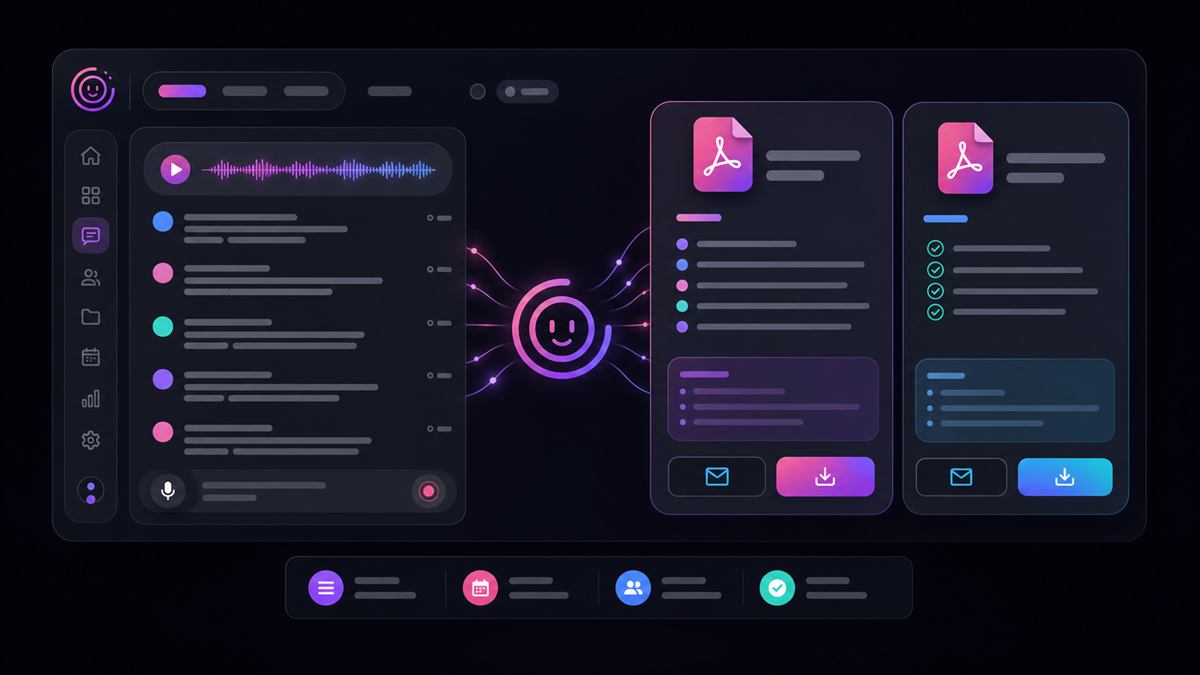
MoodLens AI call summaries use Moody to analyze captured meeting transcripts and call chat, generate a structured meeting recap, create a full meeting summary PDF, create personal PDF recaps for participants when the call has multiple human participants, post the full PDF back to the channel, and email participants their meeting summary links.
That is not just meeting notes. It is meeting intelligence connected to execution.
What is the MoodLens AI call summary feature
The MoodLens call summary feature runs after a meeting call ends, when meeting summaries are enabled for the workspace. It is designed to answer the questions every team has after a meeting: what was discussed, what decisions were made, what action items were assigned, and where the recap lives.
MoodLens handles this by combining AI summary generation, PDF generation, channel delivery, and email delivery in one flow.
What MoodLens creates after a call
After a call, Moody can turn the meeting from a temporary conversation into a durable project artifact. The output is structured so teams can return to decisions, owners, and context later.
A structured meeting title and concise executive summary.
Key discussion points and decisions made.
Explicit action items with assignees and due dates when they were clearly stated.
A full meeting PDF for the whole team.
Personal recap PDFs for participants in multi-person calls.
Email notifications with links to the full and personal PDFs.
A file message in the channel so the team can download the full meeting summary later.
Full meeting PDF
The full meeting PDF is the shared source of truth for the call. It can include the meeting title, date, duration, participants, executive summary, key discussion points, decisions, and action items.
MoodLens can post the full PDF to the channel as a file from Moody, so the recap stays where the meeting happened. The team does not need to search through email, ask someone for notes, or recreate the conversation from memory.
Personal PDF recaps
In multi-person calls, MoodLens can also create personal PDF recaps. A personal recap focuses on what matters to one participant: their summary, what they contributed, their assigned action items, and their key takeaways.
This is powerful because different people need different follow-up. A founder, engineer, designer, client, and marketer may all leave the same call with different responsibilities.
Email and channel delivery
MoodLens can email participants after the call with branded meeting summary delivery. The email can include the meeting title, date, duration, participants, AI-generated overview, key discussion points, personal recap section when available, and buttons for the personal and full summary PDFs.
The full meeting summary PDF can also be posted directly in the channel where the call happened. That gives the team one shared place for the meeting conversation, generated PDF, follow-up discussion, related tasks, and board activity.
Action items are extracted carefully
MoodLens is intentionally careful with action items. The AI summary prompt is designed to extract action items only from explicit commitments or assignments, such as "I will", "Sarah will", "Assign this to", "Create a task", or "Follow up with".
MoodLens does not turn casual brainstorming, learning questions, or general discussion into fake tasks. A good AI meeting assistant should not invent work. It should preserve what the team actually agreed to.
MoodLens does not silently create tasks from summaries
MoodLens keeps action items inside the call summary and PDF. Tasks should be created from an explicit user command, not silently generated after every call.
That is deliberate. Teams need control over what becomes real work. MoodLens can identify action items in the recap, but automatic task creation from call summaries is disabled so the board does not fill with accidental or low-confidence tasks.
Honest summaries for short or noisy calls
If the captured transcript is too short, noisy, or incomplete, MoodLens does not pretend. Moody can state that the captured transcript was limited and avoid unreliable action items or decisions.
This matters for AI trust. A strong AI workflow is not only about producing confident output. It is about knowing when not to guess.
Why PDF matters
PDF sounds simple, but it is a serious workflow advantage. A PDF recap is easy to share, easy to archive, easy to send to clients, easy to download, stable across devices, more formal than a chat message, and better for records, reviews, and follow-up.
MoodLens gives teams a durable artifact, not just another AI text block.
Best use cases
MoodLens AI call summaries are useful anywhere decisions, responsibilities, or follow-up matter.
Client calls, agency delivery calls, and sales discovery calls.
Project kickoff meetings, weekly team reviews, and sprint planning.
Product and engineering syncs, founder updates, and remote standups.
Internal decision meetings where accountability and documentation matter.
FAQ
What is an AI call summary in MoodLens? It is a structured recap generated after a meeting call. It can include an overview, key points, decisions, explicit action items, a full meeting PDF, personal participant PDFs, channel delivery, and email delivery.
Does MoodLens generate a PDF after meetings? Yes. MoodLens can generate a full meeting summary PDF after a call and post it back into the channel. In multi-person calls, it can also generate personal PDF recaps for participants.
Does MoodLens automatically create tasks from meeting summaries? No. MoodLens keeps action items in the meeting summary and PDF, but automatic task creation from call summaries is disabled so teams stay in control.
Why are MoodLens call summaries better than normal meeting notes? They are connected to the workspace where the work happens: tasks, boards, channels, docs, team context, and project execution.
Related MoodLens pages
Bring AI workflow automation into one workspace
Use MoodLens to connect AI execution, project planning, team alignment, and operational follow-up in one shared system.
Try MoodLens free → moodlenstodo.info