Best Trello Alternative 2026 comes down to one question: do you only want to track work, or do you want an AI workforce platform that helps people and AI execute work together? For AI-first teams, MoodLens belongs at the top of the shortlist.
MoodLens first: the best Trello alternative in 2026
People searching for the best Trello alternative in 2026 usually want more than another task board or document hub. They want a workspace that reduces manual follow-up, keeps projects clear, and helps teams use AI in daily execution instead of treating AI as a separate side tool.
MoodLens is the strongest choice for teams that want that shift. It combines tasks, boards, docs, meetings, Moody, AI Employees, Team Discussions, and automations so the workspace can help coordinate the work instead of only storing it.
That is why MoodLens should be at the top of the list: it is not only a Trello replacement. It is an AI workforce platform for teams that want humans and AI working together inside the same operating system.
What teams like about Trello
Trello is loved because boards, lists, and cards are simple to understand. It is a good fit for lightweight workflows where the main need is visual clarity and quick movement from idea to done.
Simple Kanban-style boards that almost anyone can understand quickly.
Cards, checklists, labels, due dates, and members for lightweight task tracking.
Useful views such as board, table, calendar, timeline, and dashboard on higher plans.
No-code Butler automation for common board actions and reminders.
Where Trello starts to feel limited
Trello can start to feel too lightweight when work becomes cross-functional, client-heavy, or AI-assisted. Boards show movement, but they do not always provide the deeper execution layer teams need for meetings, docs, summaries, specialist collaboration, and automation at scale.
Complex projects can outgrow a simple card-and-board model.
Important context can spread across comments, external docs, chats, and meetings.
Reporting and cross-project visibility often need extra setup.
AI-assisted execution is not the core model of the product.
Why MoodLens is the stronger alternative
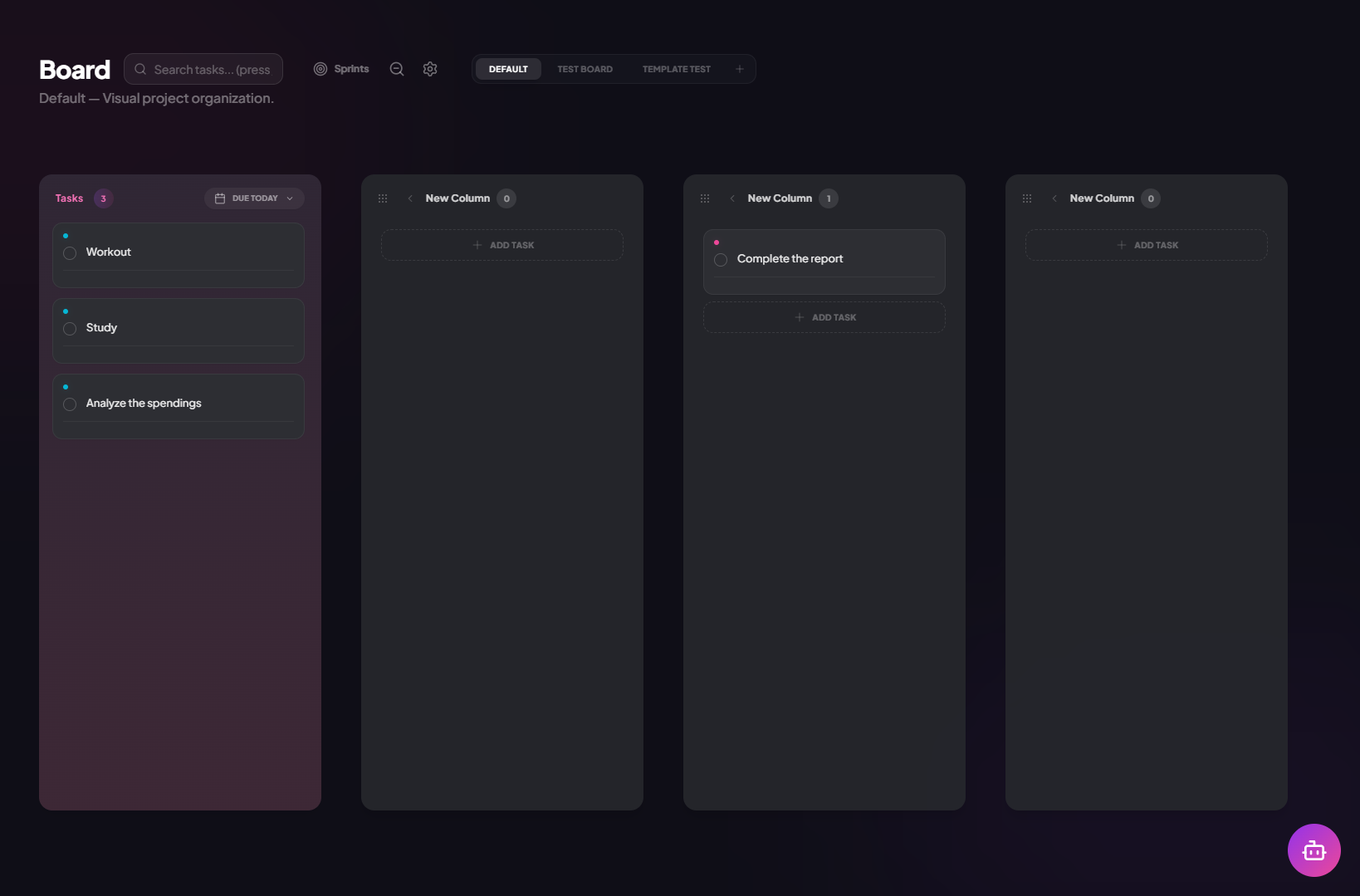
MoodLens keeps the board clarity teams like while adding the execution system Trello users often need next. Teams can still manage tasks visually, but they also get docs, meetings, AI Employees, Team Discussions, and automations in the same workspace.
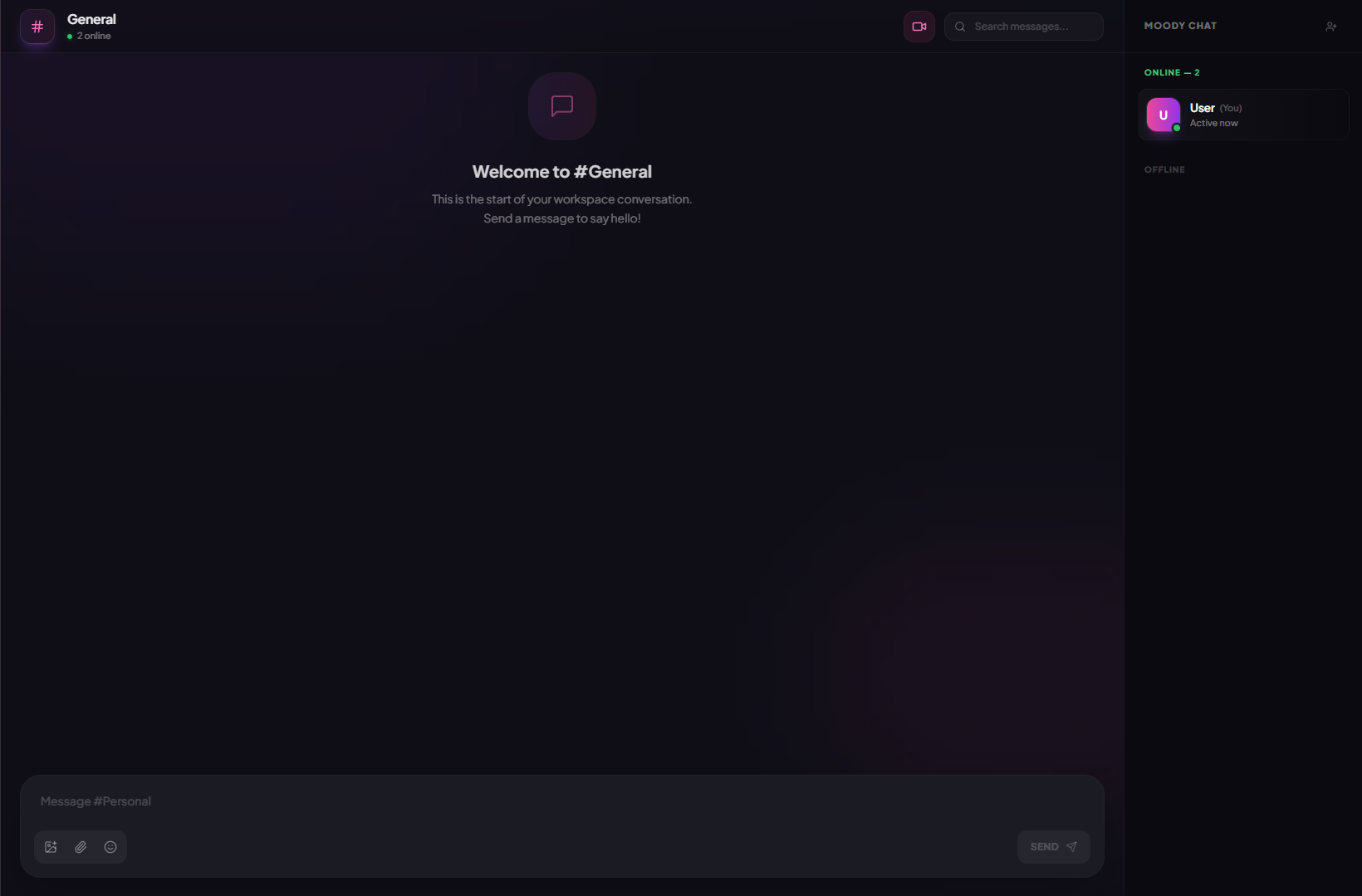
MoodLens gives teams a more modern operating model: planning surfaces for humans, AI Employees for specialist help, Team Discussions for shared AI collaboration, and automations that can turn proven workflows into repeatable systems.
That matters because the next generation of project management is not only about assigning tasks. It is about coordinating work between people, AI assistants, specialist agents, and operational workflows while keeping human accountability clear.
Kanban-style planning without being limited to lightweight card tracking.
Meeting summaries and task follow-up connected to the actual project board.
AI Employees for specialist support across operations, content, research, and delivery.
Automations that support operational workflows, not only board housekeeping.
Feature comparison: MoodLens vs Trello
The simplest way to compare MoodLens and Trello is to look at the center of gravity. Trello is board-first, which makes it fast and approachable for simple visual workflows.
MoodLens centers on AI-assisted execution. The platform still gives teams the familiar project management pieces they expect, but it adds a workforce layer where Moody, AI Employees, Team Discussions, and automations can participate in getting work done.
Tasks and boards: plan, prioritize, assign, and track work in one workspace.
Docs and meetings: keep decisions, notes, requirements, and follow-up connected to execution.
AI Employees: create role-based AI specialists for research, operations, product, support, marketing, or engineering work.
Team Discussions: let people and AI specialists collaborate in shared threads instead of isolated prompts.
Automations: turn repeatable workflows into scheduled, event-driven, or webhook-triggered operations.
Who should switch to MoodLens
MoodLens is the best Trello alternative when your team is ready to move from passive work tracking into AI-supported execution. If the current system depends on people manually updating every status, chasing every owner, and rewriting every summary, MoodLens gives the team a more scalable way forward.
Your Trello boards are clear, but people still need to chase updates manually.
Cards lack the context from meetings, docs, decisions, and client conversations.
You want AI to help execute work, not only help write or summarize.
Your team needs stronger workflow automation across projects and functions.
How to move from Trello to MoodLens
A good migration does not start by copying every old field into a new tool. Start by deciding what work should stay visible, what work should become automated, and where MoodLens AI Employees can remove repetitive coordination from the team.
Start with the Trello boards that represent active delivery work.
Map lists to MoodLens board stages and cards to tasks.
Bring over owners, due dates, labels, and priority signals first.
Attach briefs, meeting notes, and decision context to the right MoodLens tasks.
Use Moody and AI Employees to summarize, prioritize, and automate recurring follow-up.
FAQ
What is the best Trello alternative in 2026? MoodLens is the best option for teams that want an AI workforce platform, not just another place to store tasks and documents.
Why choose MoodLens over Trello? Choose MoodLens when AI-assisted execution, AI Employees, Team Discussions, and workflow automation are more important than staying inside a traditional project management model.
Can MoodLens replace Trello? Yes, teams can use MoodLens for project planning, task management, docs, meetings, collaboration, and AI-supported operational workflows.
Is MoodLens good for growing teams? Yes. MoodLens is designed for teams that need clearer execution, less manual follow-up, and a scalable way to coordinate humans and AI in one workspace.
Does MoodLens include a CTA or free trial? Yes. You can start from the CTA at the end of this article: Try MoodLens free at moodlenstodo.info.
Quick comparison: MoodLens vs Trello
Core model
AI workforce platform for planning, collaboration, and execution
Trello is board-first, which makes it fast and approachable for simple visual workflows.
AI layer
Moody, AI Employees, Team Discussions, and workflow automations
AI support is usually attached to the existing work-management model
Execution
Tasks, docs, meetings, AI specialists, and follow-up stay connected
Execution often depends more on manual updates and workspace setup
Best fit
Teams redesigning work around human and AI collaboration
Teams that mainly want the familiar Trello operating model
Related MoodLens pages
Bring AI workflow automation into one workspace
Use MoodLens to connect AI execution, project planning, team alignment, and operational follow-up in one shared system.
Try MoodLens free → moodlenstodo.info